How to Choose a Thermal Printer for Faster, Easier Label Printing

Running a small business often requires managing many tasks simultaneously.
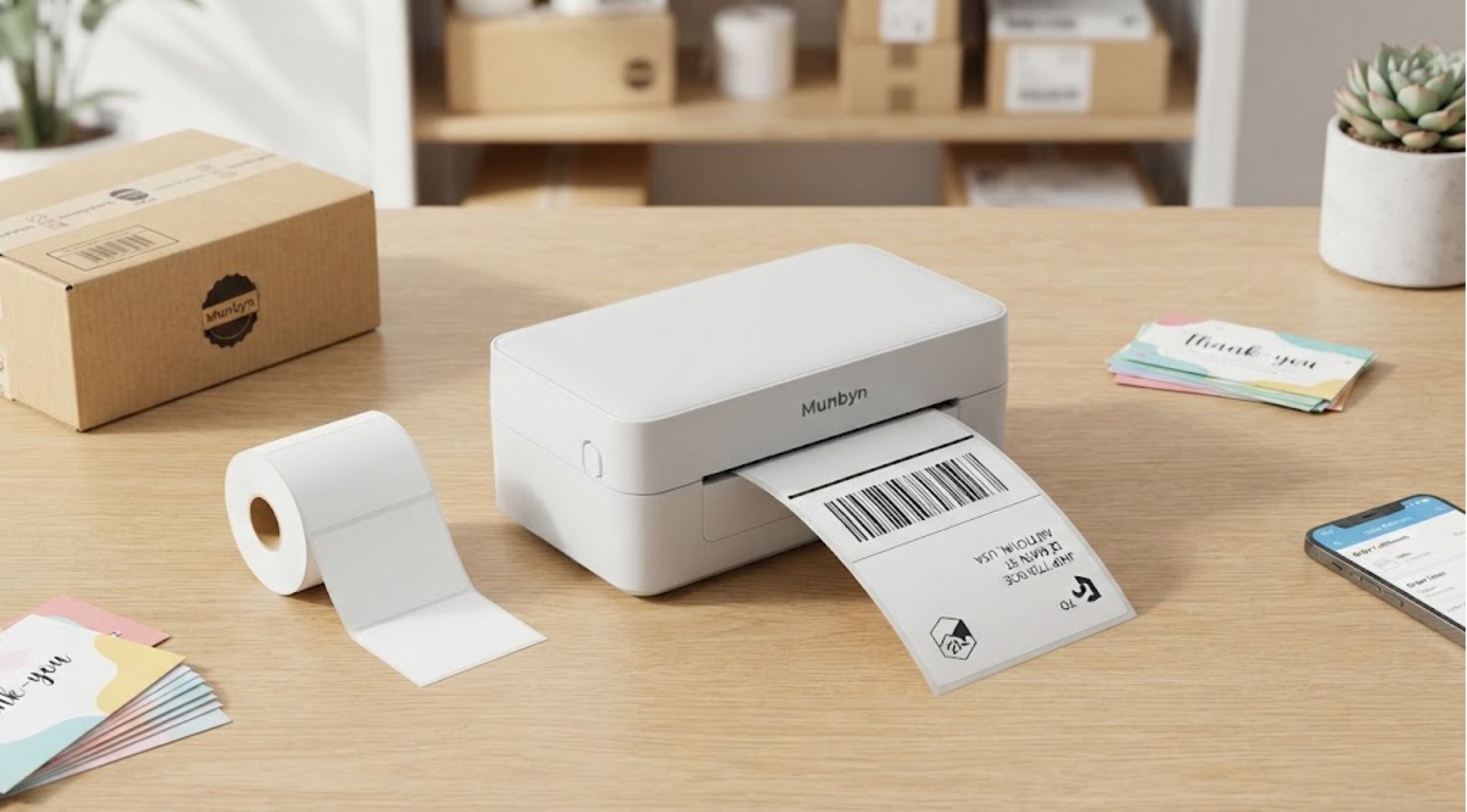
Running a small business often requires managing many tasks simultaneously. Therefore, printing shipping labels can quickly become time-consuming. Moreover, poor print quality can create unnecessary shipping delays. Slow printing can also reduce productivity during busy periods. Additionally, complicated setup can make label printing more frustrating. Fortunately, Munbyn US offers solutions that simplify your shipping process. A reliable Munbyn Thermal Printer helps businesses print clear labels efficiently. Moreover, the right features can make daily shipping much easier.
Identify the Common Problems With Label Printing
Many businesses struggle with inconsistent label printing. Sometimes, poor printing makes labels blurry or difficult to scan. At other times, printers waste paper because of formatting issues. Moreover, slow printing creates another frustrating problem. Busy sellers often process dozens of orders quickly. Therefore, every extra printing step can reduce overall productivity. Additionally, connectivity problems can create further difficulties. Some printers require complicated setups before users can start printing. Consequently, beginners may spend more time troubleshooting than fulfilling orders.
Understand What Causes Printing Frustrations
Several factors can cause these common printing problems. First, traditional printers often require ink or toner. These consumables increase recurring costs and need regular replacement. Additionally, standard printers often require multiple setting adjustments. Users must manually select paper sizes and printing preferences. Label compatibility also plays an important role. Incorrect dimensions can cause misaligned prints and waste labels. Therefore, shoppers should check printer compatibility before purchasing supplies. Fortunately, a dedicated label printer solves many of these challenges. It focuses specifically on producing labels efficiently and consistently.
Choose Features That Support Your Workflow
Start by identifying the labels you print most often. For example, shipping businesses may need standard shipping labels. Meanwhile, retailers may need product, barcode, or inventory labels. Next, consider your daily printing volume. Occasional users may only need basic printing features. However, high-volume sellers should prioritize speed and reliable performance. Also, evaluate the available connectivity options carefully. Convenient connectivity makes printing easier across different devices. Furthermore, give print quality equal attention. Clear barcodes and readable text help prevent scanning problems. Therefore, choose printers that deliver sharp, consistent label output. Finally, consider the printer’s overall setup process. A straightforward setup saves valuable time during busy periods.
Match the Printer to Your Business Needs
Small businesses often need practical equipment without unnecessary complexity. Therefore, a dedicated Munbyn Label Printer can simplify many shipping workflows. However, buyers should evaluate their specific requirements before choosing equipment. First, consider label size, printing volume, device compatibility, and available workspace. For example, online sellers may prioritize shipping-label compatibility. Meanwhile, retail businesses may focus more heavily on barcode printing. Additionally, home-based entrepreneurs may prefer compact designs and simple operation.
Use Thermal Printing to Simplify Everyday Tasks
Thermal printing offers a practical alternative to traditional ink printing. Instead, thermal printers use heat-sensitive materials without ink cartridges. This approach reduces dependence on conventional ink supplies. It also makes routine label printing more convenient. Furthermore, thermal printing supports clear text and barcode production. Therefore, businesses can manage essential labeling tasks more efficiently. A Munbyn Thermal Printer provides a dedicated solution for these everyday requirements. It supports businesses that regularly print shipping and product labels. However, users should select compatible thermal labels for consistent results. Properly matched supplies improve printing performance and reduce avoidable waste.
Create a More Efficient Shipping Routine
The printer alone cannot solve every workflow problem. Therefore, businesses should organize their printing process. First, prepare orders before starting each printing session. Then, carefully verify addresses and shipping information. Next, keep compatible labels within easy reach. This simple habit reduces interruptions during busy periods. Also, organize printed labels immediately after printing. Place each label with its corresponding package. This step prevents confusion and misplaced orders. Finally, maintain your equipment regularly. Keep the printing area clean and follow manufacturer recommendations. Overall, these small habits can make a noticeable difference. They help businesses create smoother processes without unnecessary complexity.
Consider the Value of a Dedicated Printing Solution
Choosing better equipment can improve more than printing quality. It can also reduce workflow friction throughout the day. For growing businesses, time savings can become especially valuable. Therefore, faster printing helps owners focus on customers and orders. Additionally, dedicated equipment can create a more organized workspace. Businesses can establish a consistent area for printing and packing. Moreover, Munbyn US offers options for common business printing needs. Its product range helps shoppers explore dedicated thermal printing solutions. However, buyers should compare features against their specific requirements. Therefore, choose a printer that matches your workload and label needs.
Benefits of Upgrading Your Label Printing Setup
A better printing setup offers several practical advantages. First, businesses can reduce interruptions during order fulfillment. Second, consistent printing improves label readability. Clear labels also support smoother scanning and package handling. Third, dedicated thermal printing simplifies supply management. Users can avoid traditional ink cartridges for label production. Moreover, a suitable printer supports business growth. As orders increase, efficient equipment becomes increasingly important. A Munbyn Label Printer can streamline any packing station. Businesses can combine it with organized supplies and consistent workflows.
Build a Smarter Printing Workflow
The best results come from combining suitable equipment with effective habits. First, identify your printing challenges and determine their specific causes. Then, choose features that directly address those challenges. Next, select compatible labels and organize your workspace efficiently. Also, create a repeatable process for printing and applying labels. As a result, reliable equipment can simplify routine printing tasks. It can also reduce unnecessary steps and support consistent output. Meanwhile, Munbyn US offers a practical starting point for label-printing equipment. Evaluate its available options according to your specific business needs.
Make Everyday Label Printing Easier
Label printing should never become a business bottleneck. Instead, choose equipment that simplifies repetitive tasks and improves organization. First, assess your printing volume, label types, and connectivity needs. Then, select equipment that matches your actual workflow. A dedicated Munbyn Thermal Printer can streamline your printing process. Meanwhile, organized workflows can help you maximize your equipment’s value. Ultimately, smarter printing starts with tools that solve real business problems. Therefore, explore suitable options from Munbyn US for smoother label workflows. These tools can support efficiency and help your business manage growth.
Recent Blogs
-
How to Build a Comfortable Everyday Wardrobe With Baja Llama Clothing US
-

How to Choose Golf Equipment US Buyers Can Trust for Better Rounds
-

How to Choose Dog Training Services That Deliver Lasting Results
-
How to Choose a Thermal Printer for Faster, Easier Label Printing
-

How to Build a Stylish Women’s Wardrobe Without Sacrificing Comfort